
Our March 2026 release (JEB 5.38) ships with a transparent, flexible and fast code matching facility:
- Transparent: as you reverse engineer your project, library code may be detected and reported.
- Flexible: matching is designed to resist recompilation, obfuscation, and method inlining to some degree.
- Fast: matching is almost instantaneous.
This initial implementation is enabled for dex only. It will be made available for native code in a future release. The initial database is relatively compact. Mostly, it contains signatures for the latest JAR and AAR libraries commonly used in APKs, such as Androidx.
Keep in mind code matching cannot guarantee accurate results in all cases! To ensure a low false-positive rate, the code matching module reports top-score matches only. Thresholds can be changed in the options.
So, how to best-use this feature in your workflow?
Project-wide global analysis
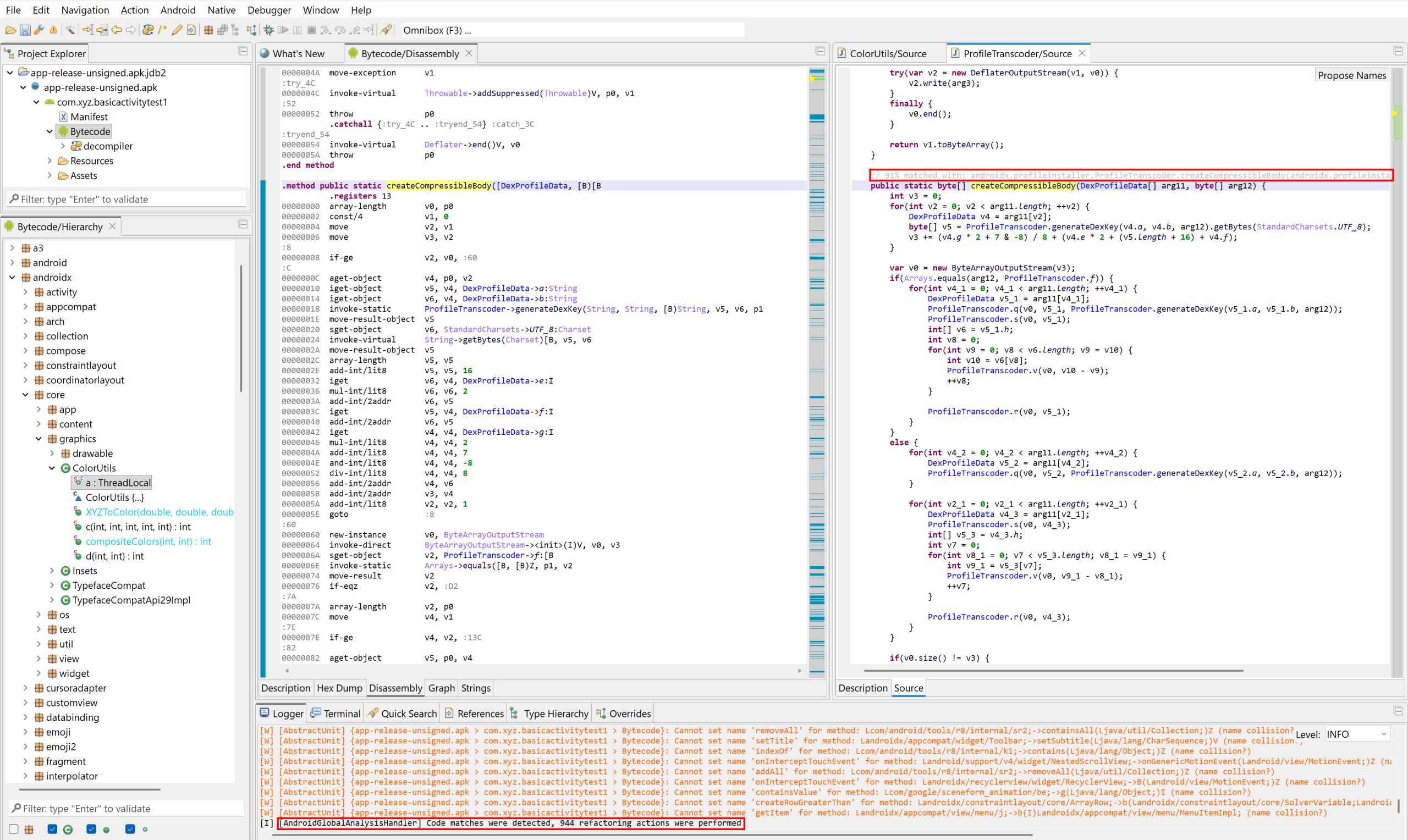
When you start a new project, we recommend running a Global Analysis, with the code matching option enabled.
When this toggle is enabled, after the analysis completes, high-score matches will be applied:
- Methods will be renamed.
- Classes and types will be renamed and refactored (moved to newly-created packages).
- A special color is used in disassembly listing and code hierarchies to indicate library code.
Auto-matching when decompiling
By default, code matching also happens transparently when you decompile code via the GUI.
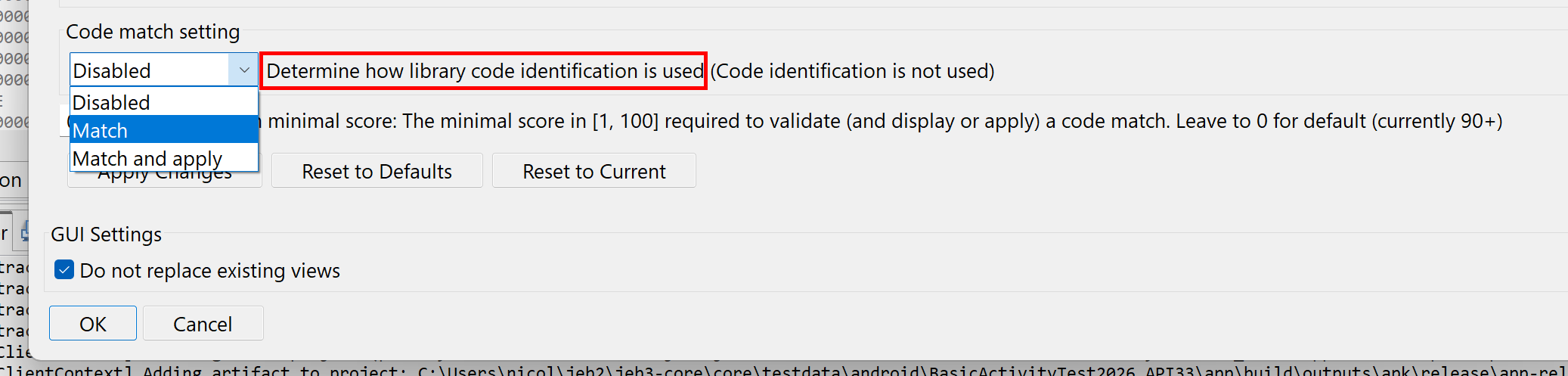
Detected matches will be placed as method comments in the decompiled Java code.
- To disable that behavior, set the
.parsers.dcmp_dex.CodeMatchSettingoption to Disabled (0). - To apply detected matches (rename and refactor code), set that option to Match and Apply (2).
API for scripting
In scripts and plugins, the code matching facility can be accessed via methods of IDexDecompilerUnit:
- setCodeMatchingOverride
- getCodeMatchingOverride
- applyCodeMatches
- getUnappliedCodeMatches
- clearCodeMatches
etc.
Match objects may also be set and retrieved through IDexUnit:
- setMethodMatch
- getMethodMatch
etc.
Future updates
We intend to tweak the code matching system over the next few releases, to ensure a low rate of false positives while maintaining a decent amount of true positive detections.
The code signing process may also evolve and require adjustments. 1 Once it has stabilized, likely in the next couple of releases, we will consider the inclusion of transparent auto-signing for all code being analyzed. It will allow users to better leverage their reverse-engineering efforts across different projects, e.g. receive hints about code they’ve already worked on, at what time, etc.
The code matching system will also be made available to the native code analysis pipeline via gendec shortly. We will keep you posted. Consider following us on X or join our Slack channel if you haven’t done so.
—
Until next time & thanks again for your support – Nicolas 🙂
- We currently use low-dimensionality vector embeddings to represent code routines. The embeddings may be tweaked, however they will remain compact to ensure a low-disk footprint, low-memory and fast matching. ↩